
Skip to content

OpenMenus opens soon. Join early access and we will call you when it is ready. Join early access

Menu

Restaurant menu card design

A good menu is easy to read, easy to change, and easy to print. Start here.

Updated

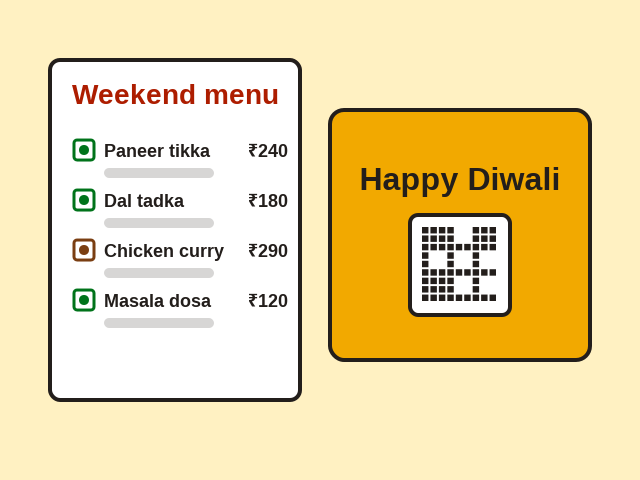
Illustration: a designed restaurant menu card with veg marks and prices next to a festival table top design with a QR code
On this page

A menu card does one job. It helps a guest choose, fast. Everything else is decoration.

Start with the dishes, not the design

Before you pick colours or a font, get your dishes in order.

  • Group dishes into short sections: starters, mains, breads, rice, desserts, drinks.
  • Put your best-known dish first in each section.
  • Write one line for each dish. Say what is in it.
  • Show veg and non-veg clearly.

Our menu design tips explain each of these with pictures.

Two menus, one set of dishes

Most restaurants need two things:

  1. A QR menu on every table. Guests scan it with their phone. You change prices in one click. It is free.
  2. A printed menu card. For guests who like paper, for the counter, and for festivals. The menu designer makes it from your dishes. It is part of Pro.

Keep both from the same dishes, so a price never differs between the card and the phone.

Pick your kind of restaurant

The pages below have advice for each kind of place.

Menu cards for your kind of restaurant

Questions

What makes a good restaurant menu card?

Guests can find a dish in a few seconds. Sections are short, each dish has a one-line description, veg and non-veg marks are clear, and prices are easy to find.

Do I need a designer to make my menu card?

No. The OpenMenus designer makes a printed menu from ready designs. The free QR menu needs no design work at all.

Can I change my menu after I print it?

The QR menu changes in one click, so a new price shows without reprinting. A printed card only changes when you print it again.

Be one of the first

OpenMenus opens soon. Join early access and we will call you when it is ready.